
Welcome
Hi, I'm Andreas Gohr and splitbrain.org is my website. I'm a web developer and maker living in Berlin, Germany. If you're new here, feel free to check out the blog posts and links below.
If you like what you see, you can subscribe to the RSS feeds for the Blog Posts and Links.

- A Long Day for PHP Admins
- Ein KI-Agent, der Ihre Software von innen kennt
- Jaw literally dropped. I ran the prompt from the "Made entirely with Opus 5.5" post on my own project. Here's what Claude Code made on its own for about $4. : r/ClaudeAI
- My HTML Boilerplate
- Index of Aesthetics
- On the frustration of agreeing with everyone about AI
- Setting up a remote environment for agentic coding on a VPS · ma.ttias.be
- OpenScreenShot — Full-page screenshot & annotation tool for Chrome
- ISO 24495-1:2023(en), Plain language
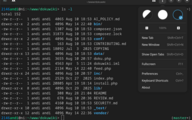
My new favorite Terminal I have been using the XFCE terminal for decades now and it has always been good enough. However there was one thing that was starting to bug me. I usually prefer my terminal light on dark. It's what most tools expect and what usually looks best.… ▶

- delphitools — privacy-first browser tools
- Datatype — variable font that turns text into charts
- Being Linux Torvalds - <antirez> — "Now, when we program with the artificial intelligences, we are exactly that same thing. We are Linus Torvalds, not always with the talent that he has, but the role we should assume"
- Faulty Towers, vibe sickness, and the vibe bobsled
- Zig Creator Calls Spade a Spade, Anthropic Blows Smoke — "In the AI bubble, we are pressured to build things nobody wants, poorly. Pop the bubble."
- Garbage for humans
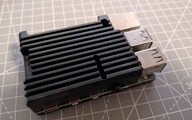
Home Assistant Transplant I have been running Home Assistant on a Raspberry Pi 4 for about five years now. A short while ago, homeassistant was suddenly no longer responding. Neither web ui nor a SSH login worked. So I cut the RPi's power and rebooted it. That seemed to have fixed it and I didn't think about it.… ▶

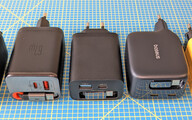
Retractable Cable USB-C Chargers (65W PD) Like all my other modern electronics, my Framework Laptop charges via USB-C. When I got it, I bought a Ugreen Nexode charger, an Anker Powerline Flow III cable and 3D printed an oganizer for it. It works, but the result is a bit bulky and the cable is already showing some wear from being pinched by the organizer. So when I came across a 65W charger with a built-in retractable cable, I was intrigued. Could such a charger be a good solution? When I looke…… ▶

- font-family recommendations — Chris Morgan
- I Fed the People Building the Metaverse — "People accuse each other of using ChatGPT like they’re exposing a steroid scandal in professional baseball. Someone uses an em dash and suddenly we’re convening a digital ethics tribunal. God forbid you use an antithesis statement. Meanwhile the people actually building this stuff are moving at corporate scale. Quietly. Casually. Confidently."
- Claude Markdown Exporter — handy bookmarklet to export a chat from the claude web interface
- Look, just fucking use Mastodon already — seriously. it's not fucking hard
- ANDREAS GOHR IS IN THE WEIGHTS
- Alternative Firmwares - ReadMe.club
- SQL to ER Diagram — Free Online ERD Generator from SQL (no signup)

PSA: Bubbles.town has a widget I am a big fan of bubbles.town, a relatively new website to make it easier to discover the indieweb of personal blogs. Sounds familiar? I run indieblog.page where the idea is that you can discover new blogs one random post at a time. Bubble's approach is a different one. Instead of showing you random posts, they want to… ▶

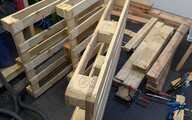
Pallet Wood Crafting Table One of my favorite YouTube channels is EpicUpCycling. If you don't know it, check it out. Jason builds amazing things out of pallet wood. I'm far from his skill, but he taught me not to throw away or just burn pallets. The wood might look shabby but with a bit of work you can make it into something beautiful.… ▶

- SpaceX Boersengang – Der groesste Bankraub Geschichte
- Open source was not ready for AI-speed contributions
- ripgrep/AI_POLICY.md at master
- The Whelming › A little controversy — So am I an “AI” fanboy now? Most certainly not. Likewise, I am not apologetic about using it. It is a technology that has helped me. Using LLMs has improved my tools, both at the code level and in the user experience. That is a win in my book.
- Bearming theme for Bear blog
- The maintainer's dilemma — When a maintainer reviews a contributor’s PR, there’s an unspoken contract. [...] the human stays accountable regardless; the tool doesn’t absorb the responsibility. [...] it assumes someone is actually there to take responsibility. For most projects, nobody is. The social contract isn’t being broken by AI — it’s already being broken by silence.
- CSS & vertical rhythm for text, images, and tables
- Task Paralysis & AI | g5t.de
- Die dänische Entscheidung, konsequent für Wohlbefinden zu sorgen — "Morgen fahren wir nicht nur 800 Kilometer nach Hause. Wir reisen 30 Jahre in der Zeit zurück."
- I don't want your PRs anymore

Auto-Delete old Mails from GMail My inbox is a mess. While I manage to maintain a somewhat close to “Inbox Zero” at work, my personal GMail's inbox currently sits at 2,215 emails 8-O. A large amount of those mails are notifications of some kind, like from Github for example.… ▶
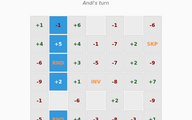
Old Game, New Clothes Back in university in 2003 we had to do a group project. I don't remember which course it was, but the assignment was pretty open. Basically as long as you coded something, you passed. I had just switched from my trusty Palm Tungsten E2 PDA to a Linux based… ▶

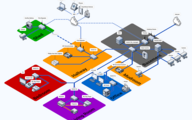
LAN Overview 2026 The last time that I blogged about my personal LAN setup was more than a decade ago. Meanwhile we moved into our own house and one of the major things we did, was adding Ethernet to every room. So let's have a look at the current state: This only shows the devices connected by Ethernet in detail. I added a few placeholders for the various devices connected by WiFi. Zigbee and Bluetooth devices are also omitted. I probably forgot something, too.… ▶

Appy - An AppImage Installer I nerd-sniped myself today. All I wanted to do was installing SuperSonic, a subsonic compatible music player written in go. One of their recommended ways to run it is an AppImage. An AppImage is basically an ELF executable which contains a SquashFS with the application and all dependencies it needs. It's a simple way to distribute a Linux binary.… ▶

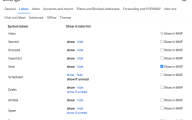
Gmail Backup and notmuch GUI I am still working adding services to my NAS and one thing that was on my todo list for a while was a proper GMail backup. You never know when the powers that be deny you access to your mails for some obscure reasons. One guard is using my own domain. When I a can't use GMail anymore, I can just use my own mail server or a different provider. But it would suck losing all my old mail.… ▶
Older Posts are available in the Blog Archive. Keep up to date with the RSS Feed.